
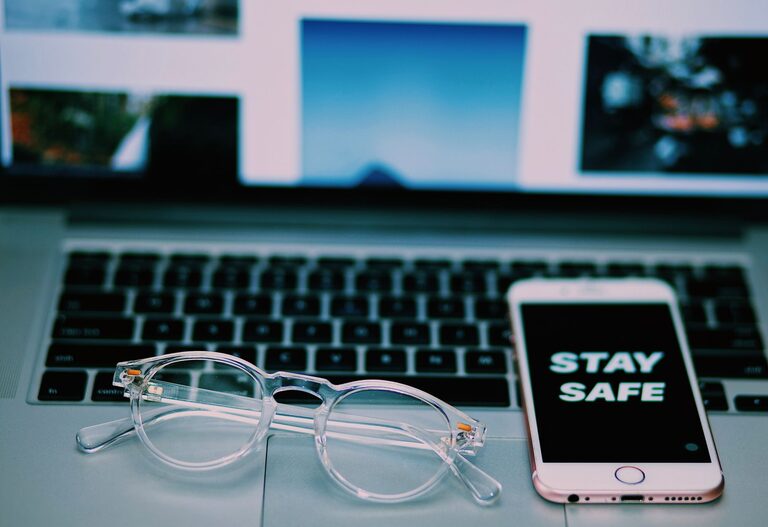
How to Clean Your Phone and Keyboard Safely: A Step-by-Step Guide
Keeping your phone and keyboard clean is essential for both hygiene and device maintenance. Dust, dirt, and germs can accumulate quickly on these frequently used gadgets, affecting their performance and potentially your health. However, cleaning them improperly can cause damage. This guide will walk you through safe, effective ways to clean your phone and keyboard without risking harm.
Why Clean Your Phone and Keyboard?
Our devices come into close contact with our hands, face, and various surfaces throughout the day. This means they collect oils, dust, food particles, and microbes. Regular cleaning helps:
– Reduce bacteria and germs
– Improve device responsiveness
– Extend the lifespan of your devices
– Maintain a polished, like-new look
But it’s crucial to use the right materials and methods to avoid damaging sensitive screens, keys, or internal components.
What You’ll Need
Before starting, gather these items:
– Microfiber cloths (soft, lint-free)
– Isopropyl alcohol (70% or less) or alcohol-based wipes
– Distilled water or screen cleaner (make sure it’s safe for electronics)
– Cotton swabs or soft-bristle brushes
– Compressed air can (optional)
Avoid harsh chemicals like bleach, ammonia, or abrasive cleaners, as well as paper towels or rough fabrics that can scratch surfaces.
—
How to Clean Your Phone Safely
Phones, especially smartphones, have sensitive touchscreens and ports that require gentle care.
Step 1: Power Off Your Phone
Always turn off your phone and unplug it before cleaning. This prevents accidental taps and reduces short-circuit risks if moisture seeps in.
Step 2: Remove Cases and Accessories
Take off any cases, screen protectors, or attachments. You can clean these separately using mild soap and water, then dry thoroughly.
Step 3: Wipe the Screen
– Lightly dampen a microfiber cloth with distilled water or a screen-safe cleaner.
– Gently wipe the screen in smooth, circular motions. Avoid excessive pressure.
– For stubborn spots, use a 70% isopropyl alcohol wipe or solution applied to the cloth (never directly on the phone).
– Avoid getting moisture near the phone’s openings.
Step 4: Clean the Back and Sides
Use the same cloth to wipe down the back and edges, removing fingerprints, dirt, and oils.
Step 5: Clean Ports and Speakers
– Use a dry cotton swab or soft brush to gently dislodge dust from charging ports, headphone jacks, and speaker grills.
– A can of compressed air can help blow out particles, but use short bursts and keep it upright to avoid moisture.
Step 6: Dry and Reassemble
Make sure the phone is completely dry before putting cases or accessories back on. Power it back on and enjoy a clean device.
—
How to Clean Your Keyboard Safely
Whether you use a desktop or laptop keyboard, it’s important to prevent dirt buildup that can affect key function.
Step 1: Unplug or Turn Off Your Device
For external keyboards, unplug them to avoid any accidental commands. For laptops, shut down or put in sleep mode.
Step 2: Remove Loose Debris
– Turn the keyboard upside down and gently shake to dislodge crumbs and dust.
– Use a can of compressed air to blow out particles trapped under keys. Hold the keyboard at an angle for best results.
Step 3: Wipe Keys and Surface
– Lightly dampen a microfiber cloth with a mix of water and isopropyl alcohol (about 50/50).
– Wipe the keyboard surface and individual keys carefully.
– For tight spaces between keys, use a cotton swab lightly dampened with the solution.
Step 4: Deep Cleaning (If Necessary)
Some keyboards have removable keycaps. If your keyboard allows this, follow the manufacturer’s instructions to remove keys gently:
– Soak the keycaps in warm, soapy water.
– Use a soft brush to scrub them clean.
– Dry completely before reattaching.
Do not soak the keyboard itself or allow liquid to enter the circuitry.
Step 5: Let It Dry
Allow the keyboard to air dry completely before plugging back in or powering your laptop on. This prevents electrical issues.
—
Tips to Keep Your Devices Cleaner Longer
– Wash your hands before using your phone or keyboard.
– Avoid eating or drinking near your devices.
– Use a stylus or gloves if possible to reduce direct contact.
– Clean your devices regularly, at least once a week or more if used heavily.
– Use protective cases or keyboard covers that are easier to clean.
—
Final Thoughts
Cleaning your phone and keyboard doesn’t have to be complicated or risky. With the right tools and techniques, you can maintain a clean, well-functioning workspace and minimize exposure to germs. Regular care helps your devices look great, respond better, and last longer.
Make cleaning a simple habit, and your devices will thank you!
